
Your music, crystal clear. Offline, cloud & radio in one place.
Play every song and video stored on your phone with instant resume right where you left off, easy sound sliders, synced lyrics, free internet radio, and clean folder playlists. Upgrade to Moonvox Pro for Google Drive, OneDrive, home drive music, and custom themes.
- 100% ad-free offline music & background video-audio playback
- Instant resume right where you paused + multiple saved queues
- Easy Quick Sound sliders, sleep timer & tap-to-jump synced lyrics
- Moonvox Pro: Google Drive, OneDrive, home storage & premium themes
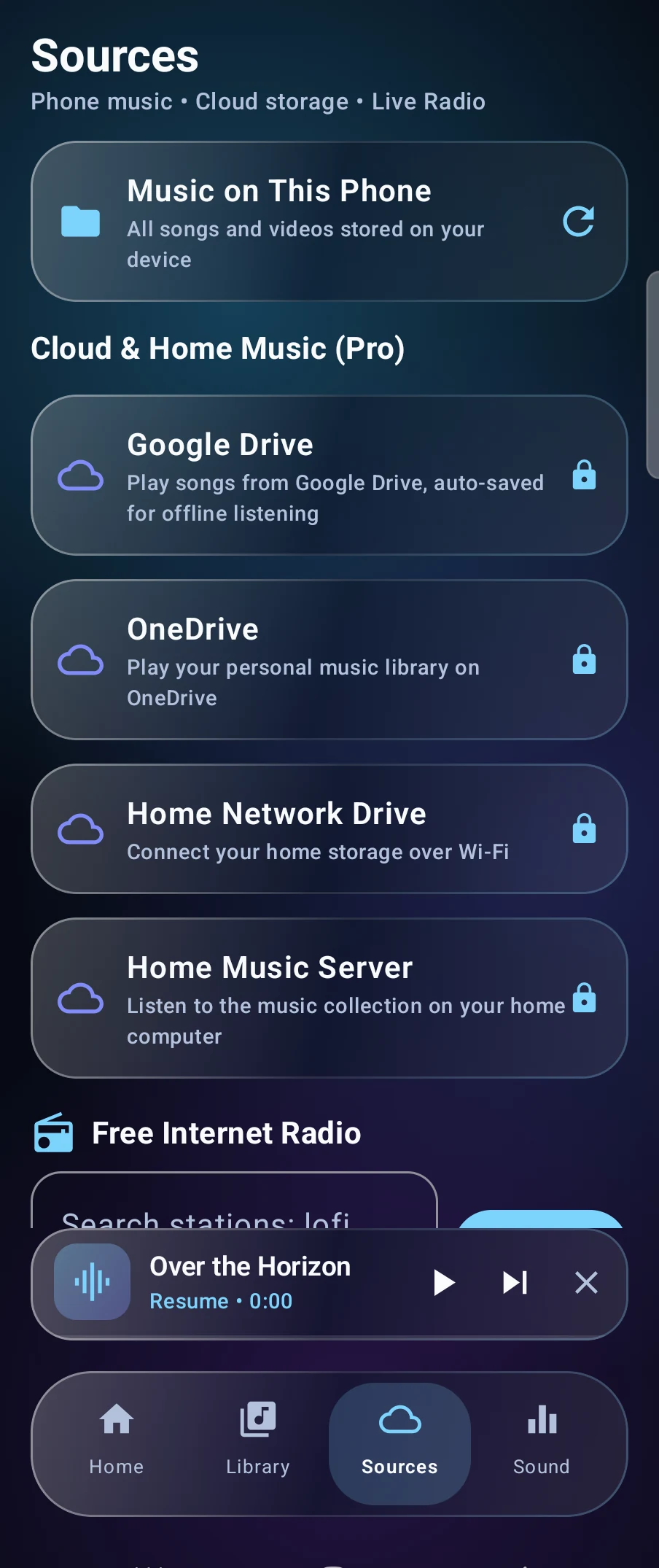
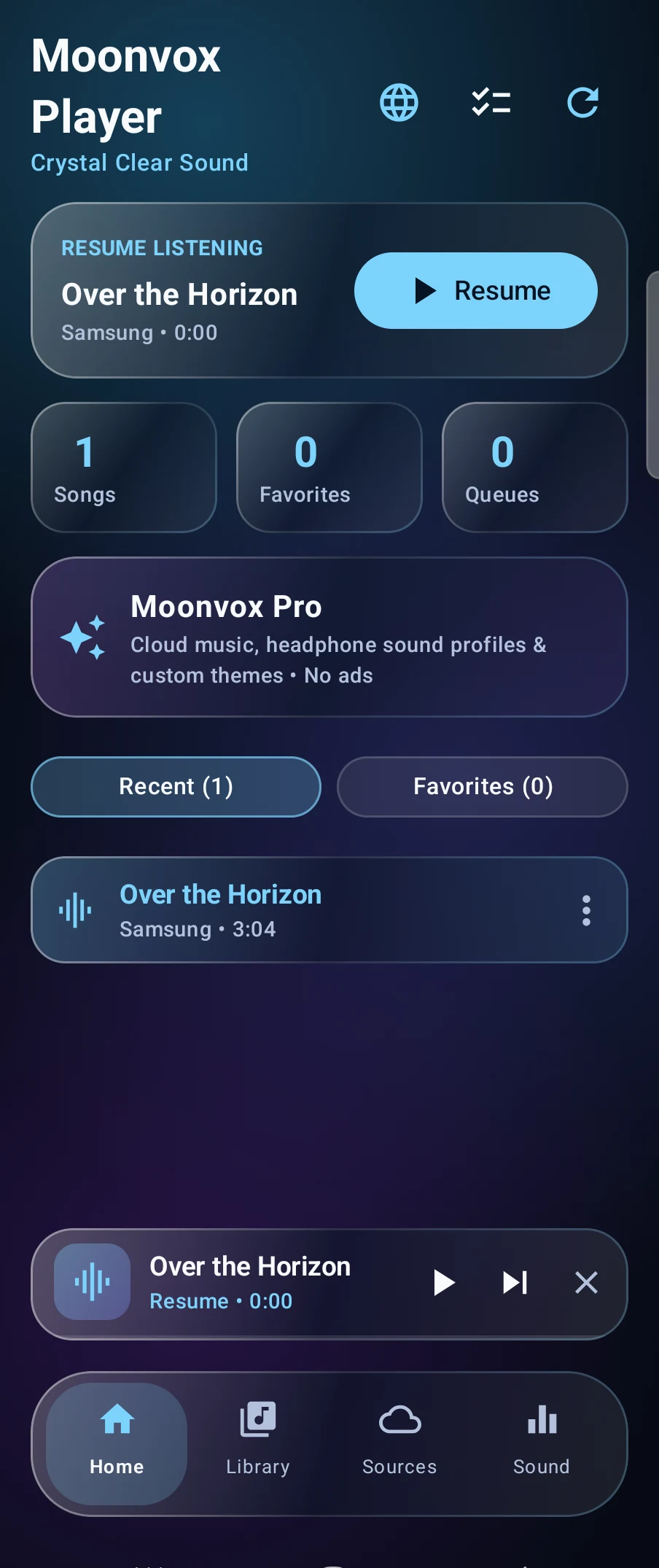
Real Moonvox Player interface captured on phone · Clean bilingual EN/VI layout
CLEAN & PRIVATE LISTENING
Your music stays on your phone—zero ads, zero tracking.
Moonvox Player plays every song and video already on your phone offline without uploading your library anywhere. Upgrade to Pro only if you want cloud streaming, home storage, or extra themes.
Enjoy uninterrupted albums, podcasts, audiobooks, and background video-audio with zero popups or banner clutter.
Every control sits cleanly within thumb reach, with clear everyday sound sliders anyone can tune in seconds.
Buy Moonvox Pro once via Store or Web and sign in with the same account across your Android and iOS phones & tablets.
QUICK START IN 3 STEPS
Scan your music. Tune your sound. Listen anywhere.
Start listening to your local songs and free radio in seconds, and expand to Google Drive, OneDrive, or your home computer whenever you are ready.
Open & Scan Your Phone
Moonvox Player finds all songs and videos on your phone automatically while hiding call recordings and short voice clips.
Tune Your Sound & Lyrics
Pick your favorite preset, adjust Quick Sound sliders, set a Sleep Timer, and save separate queues for every mood.
Sync Pro Across Android & iOS
Upgrade once ($2.99/yr with 7-day trial or $9.99 Lifetime) and sign in on up to 5 phones & tablets—everything unlocks automatically.
INTERACTIVE FEATURE TOUR
Everything you need, framed clearly on real screens
Select a category below to explore real screens and everyday features.
Pick up right where you paused in one tap
Your latest song, favorites, saved queues, and instant one-tap background stop are always front and center—with zero ads.
- Instant Standby Resume remembers the exact second you paused
- One-tap ✕ button on mini-player and notification to stop background playback cleanly
- Switch freely between English & Tiếng Việt anytime in Settings
EVERYDAY USE CASES
Six ways Moonvox Player upgrades your daily listening
Instant Resume for Songs & Audiobooks
Open Moonvox Player and continue any song, podcast, or long audiobook right where you left off—even after restarting your phone.
Background Audio for Videos
Play concerts, talks, or study videos stored on your phone in audio-only mode while your screen stays off to save battery.
Clean Folders, Playlists & Multi-Queue
Keep separate queues for driving, workouts, and bedtime. Long-press to pick a range (From–To) and tidy messy song names in seconds.
Effortless Quick Sound Tuning
Slide Warmth, Bass, Clearer Vocals, and Spacious Sound—or pick ready-made Chill, Deep Bass, Late Night, and Voice presets.
Synced Lyrics & Free Global Radio
Follow live lyrics and tap any line to jump right there, or stream curated lo-fi, jazz, acoustic, and international radio stations free.
Cloud & Home Music Sync (Pro)
Play your own songs from Google Drive, OneDrive, and home storage with auto-saved offline playback across up to 5 Android & iOS devices.
HOW-TO GUIDES
Everyday step-by-step guides for Moonvox Player
Stop background playback completely in 1 tap
- Tap the ✕ button directly on the bottom mini-player or pull down your notification bar and tap ✕.
- Moonvox Player saves your exact playback position and closes the background player immediately.
- Next time you open the app, tap Resume to continue right where you stopped.
Tidy messy song names & organize playlists fast
- Open any folder or song list and long-press a song to turn on multi-select.
- Tap From–To to pick a whole range of episodes or tracks in seconds.
- Tap Clean Names to preview and tidy extra noise words, or tap Playlist to group them together.
Sync Moonvox Pro across Android & iOS
- Open the Moonvox Pro card on the Home screen and choose Yearly ($2.99/yr, 7-day trial) or Lifetime ($9.99).
- Sign in with your Google or Apple account inside the Pro sheet to link your devices.
- Sign in with the same account on up to 5 devices—Moonvox Pro unlocks automatically and works offline.
PLANS & LICENSING
Free ad-free player forever, or unlock Moonvox Pro
Start with a 7-day free trial ($2.99/year) or unlock Lifetime once ($9.99) via Google Play / App Store — synced across up to 5 devices.
Free
Play all songs and videos on your device with instant resume, playlists, synced lyrics, quick sound tuning, and free radio.
- Unlimited offline songs, folders & playlists
- Quick Sound sliders, sleep timer & free radio
- Google Drive, OneDrive & home network storage
- Premium themes & headphone sound profiles
Moonvox Pro · Yearly
Unlock cloud music streaming, home storage playback, headphone sound profiles, and all premium themes across up to 5 devices.
- Google Drive, OneDrive & home drive music
- All premium themes & headphone sound profiles
- Sync Pro across Android & iOS (up to 5 devices)
- 7-day free trial via Google Play / App Store
Moonvox Pro · Lifetime
One-time purchase with zero renewals — keep every Moonvox Pro feature unlocked permanently across Android & iOS.
- All Moonvox Pro features unlocked forever
- Pay once ($9.99) — never renew again
- Sync across up to 5 Android & iOS devices
- Includes future Pro updates & themes
| Criteria | Free ($0) | Pro · Yearly ($2.99/yr) | Pro · Lifetime ($9.99) |
|---|---|---|---|
| Offline Songs, Video-Audio, Playlists, Lyrics & Free Radio | Unlimited · Ad-Free | Unlimited · Ad-Free | Unlimited · Ad-Free |
| Google Drive, OneDrive & Home Network Storage | Not included | Included | Included Forever |
| Aurora, Midnight & Sunset Themes + Headphone Profiles | Moonlight theme | All Themes & Profiles | All Themes Forever |
| Cross-Platform Sync (Android & iOS) | Local device | Up to 5 devices | Up to 5 devices |
| Pricing & Free Trial | Free forever | $2.99 / yr · 7-day trial | $9.99 one-time · Zero renewal |
REQUIREMENTS & COMPATIBILITY
Moonvox Player Specifications
Zero ads in the free core player, instant standby resume, smart batch song name cleanup, and cross-platform Moonvox Pro across Android & iOS.
- Category
- Music & Audio Player
- Platforms
- Android 8.0+ & iOS 16.0+
- Languages
- English & Tiếng Việt
- Pro Devices
- Up to 5 devices per account
FAQ
Common Questions
Moonvox Player · v1.1.0Enjoy crystal clear music on every phone you own
Have questions about Moonvox Player on Android & iOS, cloud music setup, or syncing your Moonvox Pro plan? Reach our team anytime.