
Blur faces & private info. Keep every photo on your phone.
Before sharing screenshots, family photos, or marketplace listings, hide phone numbers, faces, passwords, addresses, and license plates in seconds. SovBlur processes everything right on your phone with zero uploads, zero watermarks, and removes hidden location details automatically.
- 100% on-device processing — your photos are never uploaded
- All 6 styles free forever: Blur, Soft Glass, Squares, Honeycomb, Solid Cover & Highlight
- 1-tap Auto Find spots faces, phone numbers, emails & QR codes privately
- Original photo stays untouched · Hidden location & camera info removed automatically
PRIVATE BY DESIGN
Your photos never leave your phone
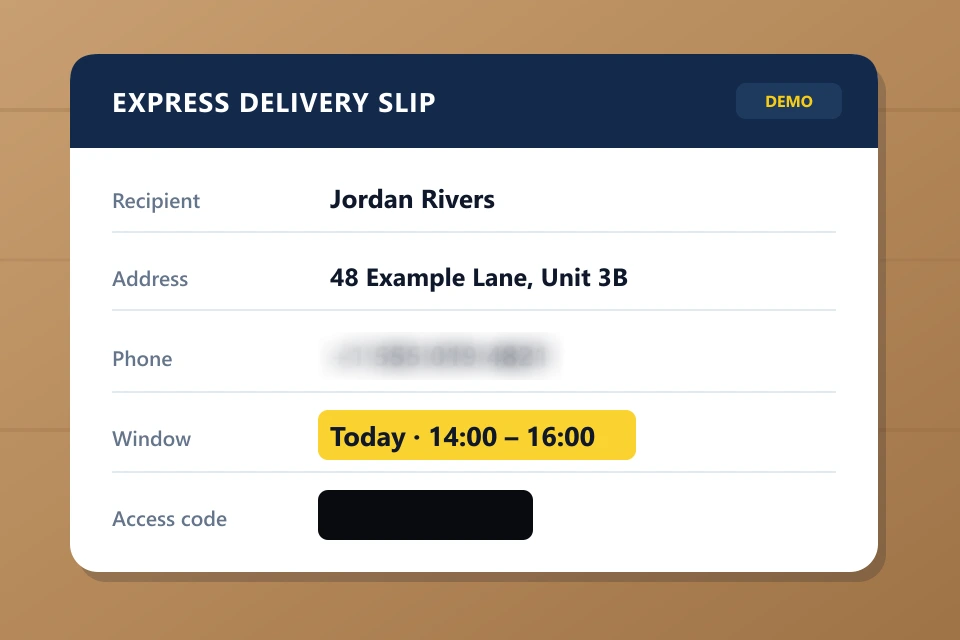
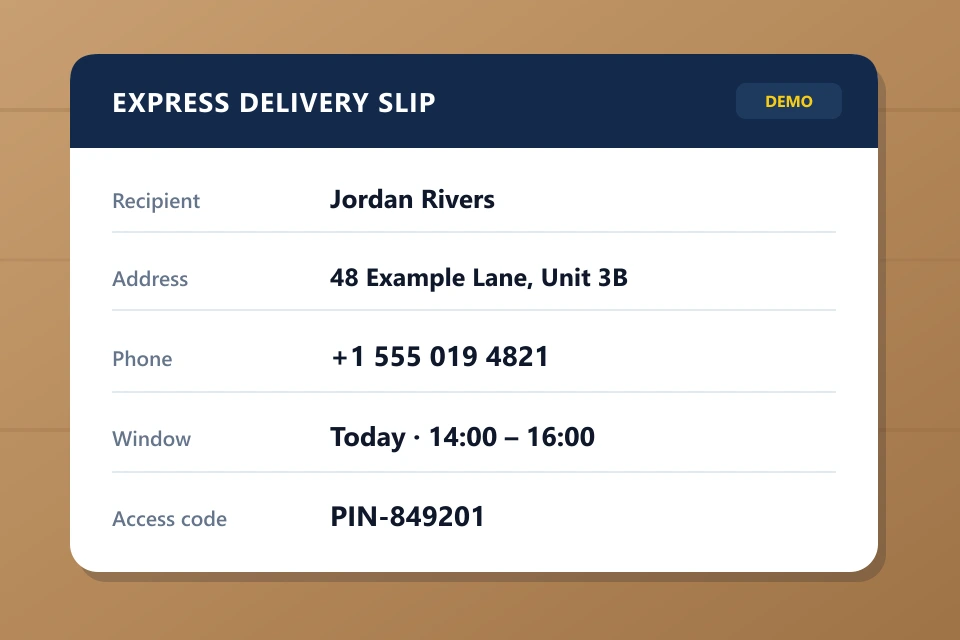
No account required, no gallery exposure on launch, and zero cloud uploads. SovBlur opens only the photo you choose, hides what you mark, strips hidden location data, and saves a fresh clean copy.
Use Blur for faces or chats, and Solid Cover (with Background Color Picker) for passwords, bank numbers, and access codes so nothing remains underneath.
Take a screenshot, tap Share → SovBlur, hide private info in seconds, then tap Copy Photo to paste right into your chat app without saving extra files.
Lightweight design so it opens instantly, uses minimal storage, and stays cool even when editing crisp high-resolution photos.
HOW IT WORKS IN 3 STEPS
From screenshot to safe share in 5 seconds
No sign-up, no complex menus — pick, hide, and share right away.
1. Pick or Share any photo
Choose a photo safely without granting gallery permissions, or tap Share directly right after taking a screenshot.
2. Hide with 1-tap Auto Find or Shapes/Brush
Auto-find faces, phone numbers & QR codes, drag resizable rounded/rotated boxes, or paint with the floating zoom lens & edge eraser.
3. Save clean copy or Copy to chat
Hold the eye icon to compare before & after, then save a fresh location-free copy or paste straight into your chat.
INTERACTIVE FEATURE TOUR
Everything you need, framed clearly on real screens
Select a category below to explore real screens and everyday features.
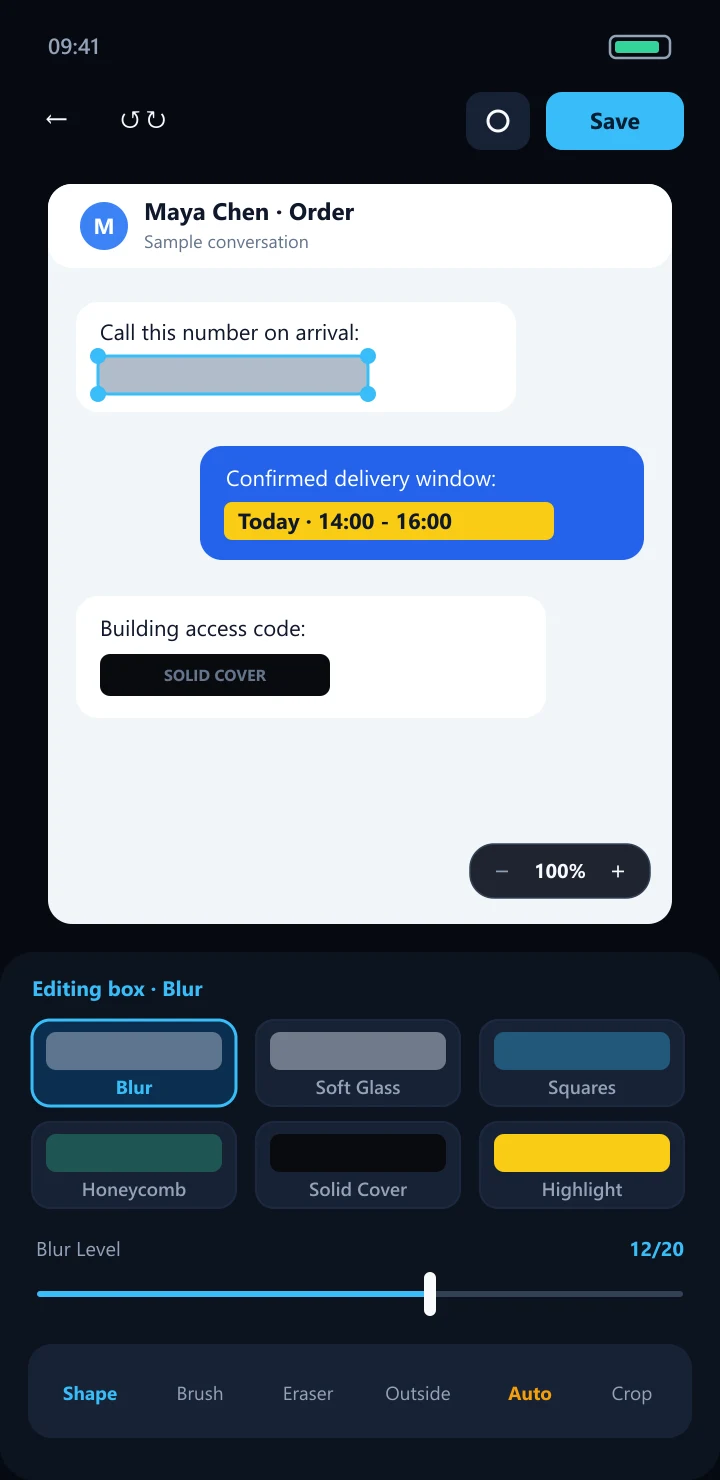
Hide private details, highlight what matters
Combine Blur, Solid Cover, and Light/Dark Highlight on one screenshot — with live style previews and a 1-hand zoom control.
- Rounded, square, or circular boxes — move, resize, rotate, or duplicate in 1 tap
- Hold the eye button anytime to compare original vs. edited photo
- Floating [- 100% +] zoom pill for effortless one-handed fine tuning
EVERYDAY REDACTION TOOLKIT
Six ways to hide or highlight what matters
All included for free — mix multiple styles on the same photo with unlimited undo & redo.
Blur & Soft Glass
Smooth natural blur with 20 strength levels plus a modern frosted glass look for faces and backgrounds.
Squares & Honeycomb
Classic square blocks or stylish honeycomb tiles that stay sharp at any export clarity.
Solid Cover + Color Picker
Completely replaces passwords, card digits, and access codes — tap any background area to match its exact color.
Light & Dark Highlight
Vivid yellow/color marker keeps black text sharp on white paper, while Dark Mode highlight adds a bright glow outline.
Zoom Lens & Edge Eraser
Floating magnifying lens moves out of your finger's way while painting or trimming blurred edges around hair and text.
Crop, Rotate & Auto-Keep Edits
Crop to free or social ratios (1:1, 4:3, 16:9, 9:16), rotate 90°, flip — all existing blur boxes move with your photo automatically.
HOW-TO GUIDES
Everyday step-by-step guides for SovBlur
Hide phone numbers & passwords in a chat screenshot
- Right after taking a screenshot, tap Share → SovBlur (or open SovBlur and pick the image).
- Drag a rounded Blur box over phone numbers, or switch to Solid Cover for passwords and bank codes.
- Tap Save → Copy Photo to paste straight into your chat without cluttering your gallery.
Blur faces in a group photo before posting
- Open your photo in SovBlur and tap Auto Find in the bottom bar.
- Tap Hide Faces to cover every detected face with oval blur in 1 tap, or tap any box to toggle it.
- Use the [- 100% +] zoom button to double-check small faces in the background, then save a new copy.
Hide license plates & house numbers for listings
- Choose Solid Cover and tap Pick Color to sample the car body or wall color for a clean look.
- Drag a box over the plate, tap Rotate if the car is photographed at an angle, and tap Duplicate for more plates.
- Save a clean copy with hidden photo location removed automatically before uploading your listing.
Detailed Illustrated Guides for SovBlur (4)
All GuidesHow to Blur Faces in a Photo Before Posting Online
Hide kids' faces, bystanders, and reflections privately on your phone or browser — with zero uploads and zero watermarks.
How to Hide License Plates & House Numbers in Listing Photos
Before posting car, motorbike, or real-estate photos online, cover plates, street signs, and parcel labels cleanly with Solid Cover.
How to Blur a Busy Photo Background by Hand (With Clean Edges)
Soften cluttered desks or crowded streets behind your subject using a large brush, floating zoom lens, edge eraser, or 1-tap Blur Outside mode.
6 Best Private Photo Blur Apps on Android in 2026 (Honest Comparison)
An honest, side-by-side comparison of SovBlur, BlurReady, PrivacyBlur, ObscuraCam, Image Toolbox, and Signal based on app size, offline privacy, and everyday speed.
PLANS & LICENSING
100% features free forever — optional 1-time Remove Ads
No daily photo limits, no watermarks, no subscriptions. Upgrade once only if you want a completely ad-free studio.
SovBlur Free
Use every blur style, auto face/text/QR finder, zoom lens, edge eraser, and full-clarity export unlimited times for free.
- Unlimited photo edits & saves — zero watermarks
- All 6 styles: Blur, Soft Glass, Squares, Honeycomb, Cover & Highlight
- 1-tap Auto Find (faces, text, QR), Zoom Lens & Edge Eraser
- Auto-remove location & camera info + Direct Copy to chat
- Light ads with 0% popups on first session & first save
Remove Ads · Lifetime
Support independent privacy software and enjoy an ultra-clean, zero-ad studio forever with a single small payment.
- 100% Ad-Free studio forever — zero banners, zero popups
- One-time purchase — never billed monthly or yearly
- Every current & future SovBlur editing tool included
- Sync Pro status across up to 5 personal devices via your account
- 100% on-device privacy & zero uploads guaranteed
| Criteria | Free ($0) | Remove Ads · Play Store ($2.99) | Web Direct Promo (-15%) |
|---|---|---|---|
| All 6 Blur/Cover/Highlight Styles & Unlimited Saves | Unlimited · Zero Watermark | Unlimited · Zero Watermark | Unlimited · Zero Watermark |
| 1-Tap Auto Find (Faces, Text, QR), Zoom Lens & Edge Eraser | Included Free | Included | Included Forever |
| Location Removal, Original Clarity & Copy to Chat | Included Free | Included | Included Forever |
| Ads in App | Light ads (0% on first session) | 100% Ad-Free Forever | 100% Ad-Free Forever |
| Price & Device Sync | $0 forever · No login | $2.99 one-time · 5 devices | $2.49 one-time · Sync to app |
REQUIREMENTS & COMPATIBILITY
SovBlur Specifications
100% features free with zero watermarks: 6 blur & cover styles, 1-tap auto face/text/QR finder, brush zoom lens, edge eraser, and direct chat copy.
- App Size
- ~1.8 MB (Ultra-light native Android build)
- Platform
- Android 8.0 and above (Adaptive 2-column layout for foldables & tablets)
- Languages
- English & Vietnamese
- Photo Privacy
- 100% on-device editing · Zero uploads · Auto-removes photo location
- Free Web Companion
- Free browser blur tool at /tools/blur-photo (5 saves/day, zero upload)
- Publisher
- HORIZON GIFT LLC (Wyoming, USA)
FAQ
Common Questions
SovBlur · v1.0.0Hide what matters. Share with confidence.
Try the free browser tool right away or install SovBlur on Android for 1-tap auto face/text/QR finding, zoom lens, and unlimited saves.