
Scan documents cleanly in seconds. Private on your phone, zero watermarks.
SovScan turns your Android phone into a fast, clutter-free document scanner. Scan up to 50 pages in one go, auto-split open books into 2 flat pages, combine both sides of an ID card onto one A4 sheet, extract text offline, sign PDFs, and lock sensitive papers behind your fingerprint.
- Scan continuously up to 50 pages with auto edge crop & shadow removal
- 2-Page Book mode flattens curved pages & cleans thumbs automatically
- 100% on-device processing — zero watermarks, works completely offline
- 1-tap Google Drive share link for long contracts or large files
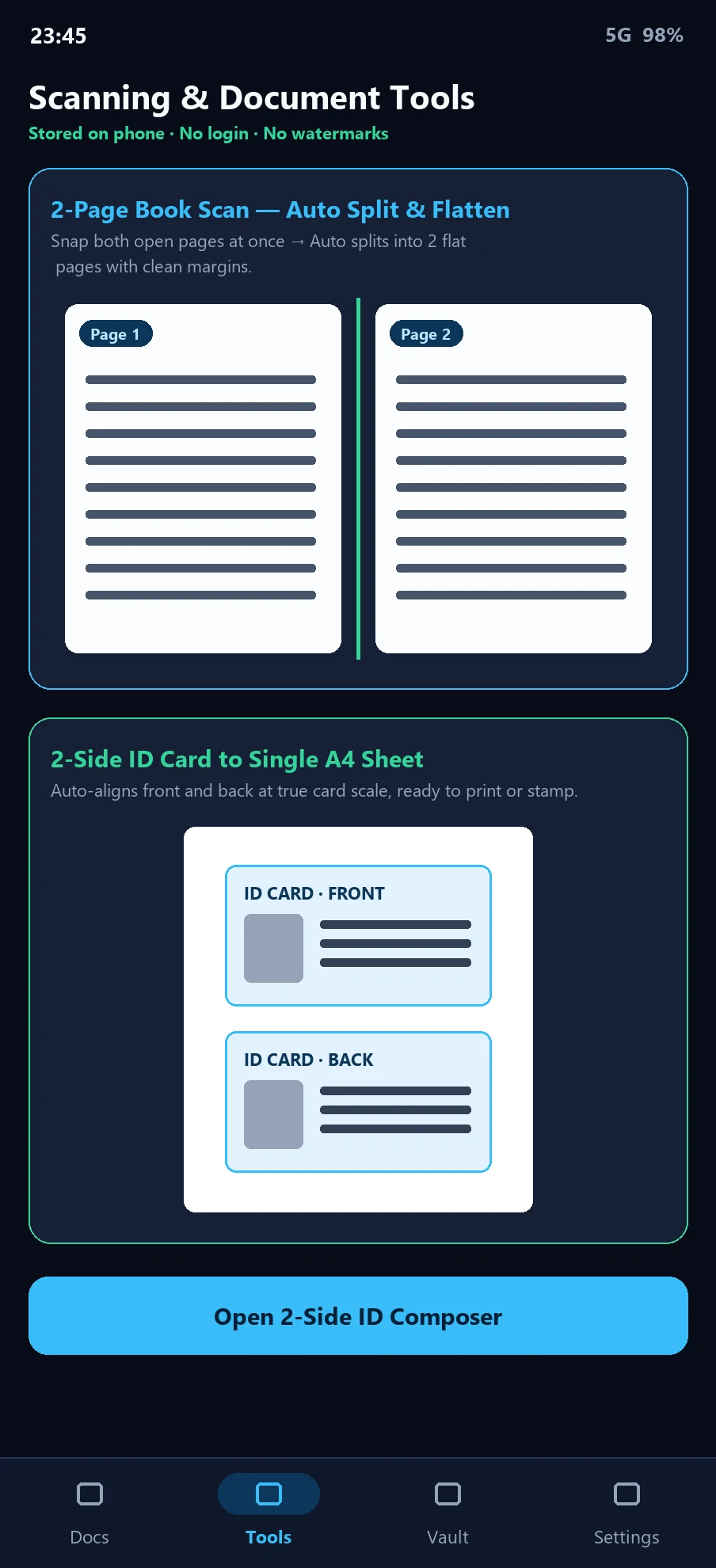
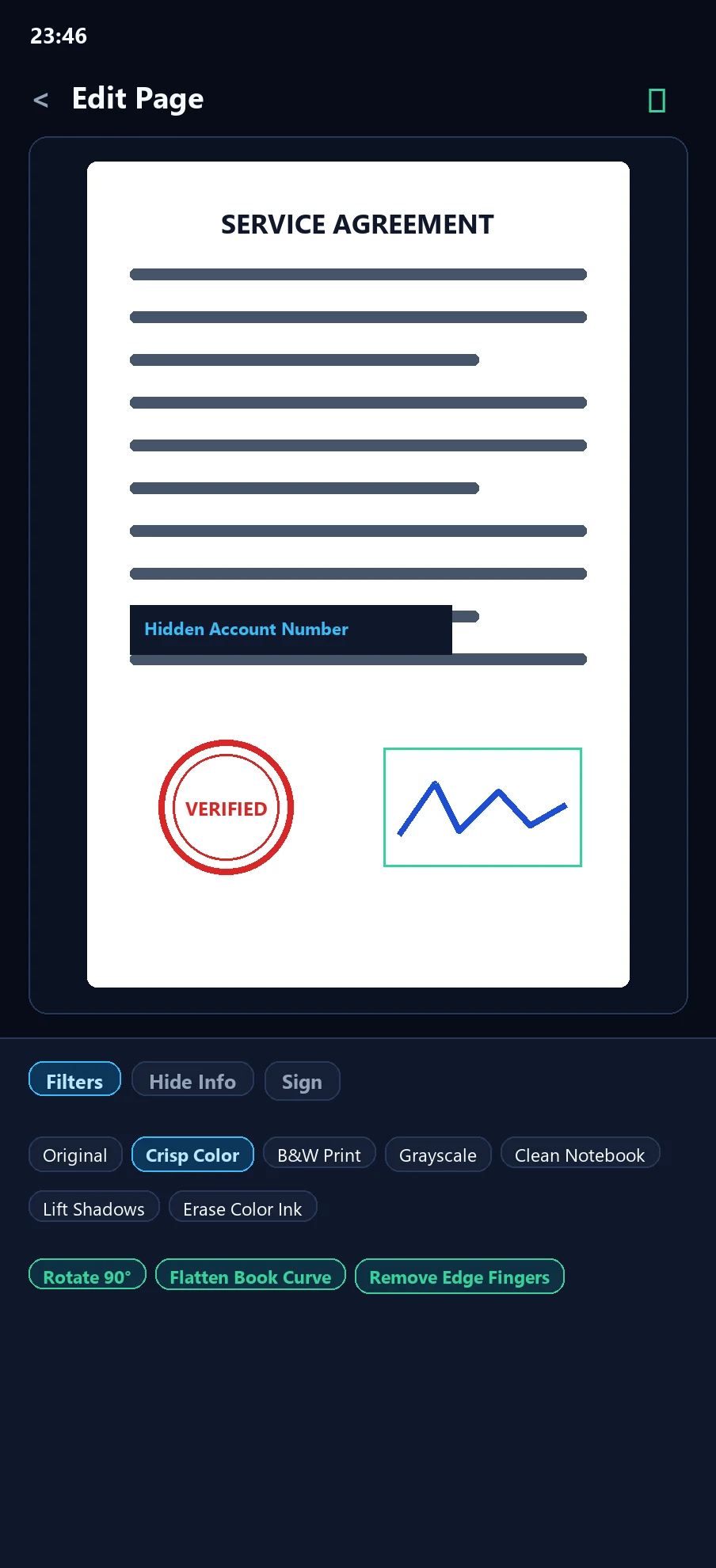
Real SovScan interface · Works seamlessly on standard & foldable Android phones
PRIVACY-FIRST DOCUMENT SCANNING
Your ID cards and contracts never touch any developer server.
Many free scanner apps quietly upload your papers to outside servers for text reading or force you to create an account. SovScan processes every scan, text lookup, signature, and Private Vault lock 100% offline on your phone — and only touches your own Google Drive when you tap to share a link.
Edge detection, book flattening, text extraction, and PDF compression run right inside your phone — even in Airplane Mode.
Move passports, land deeds, or bank papers into the Private Vault. It locks automatically when you leave the app and blocks screenshots.
Send a clean PDF directly via Zalo/Email, set a PDF password, or upload heavy files to your own Google Drive to send a tidy share link.
3 SIMPLE STEPS
Point. Clean up. Share a crisp PDF.
No messy menus and no learning curve — every important button is clear and right in front of you.
Pick your mode & scan
Tap Continuous Scan (up to 50 pages), 2-Page Book, ID Card 2-Side, or Receipts — SovScan auto-crops and straightens every page.
Polish, sign & protect
Choose a crisp print filter, add your handwritten signature, black out private numbers, or stamp a safety watermark in seconds.
Export PDF or Drive link
Save a searchable PDF, compress it under 1MB / 2MB for web forms, or upload long documents to your Google Drive for a 1-tap share link.
INTERACTIVE FEATURE TOUR
Everything you need, framed clearly on real screens
Select a category below to explore real screens and everyday features.
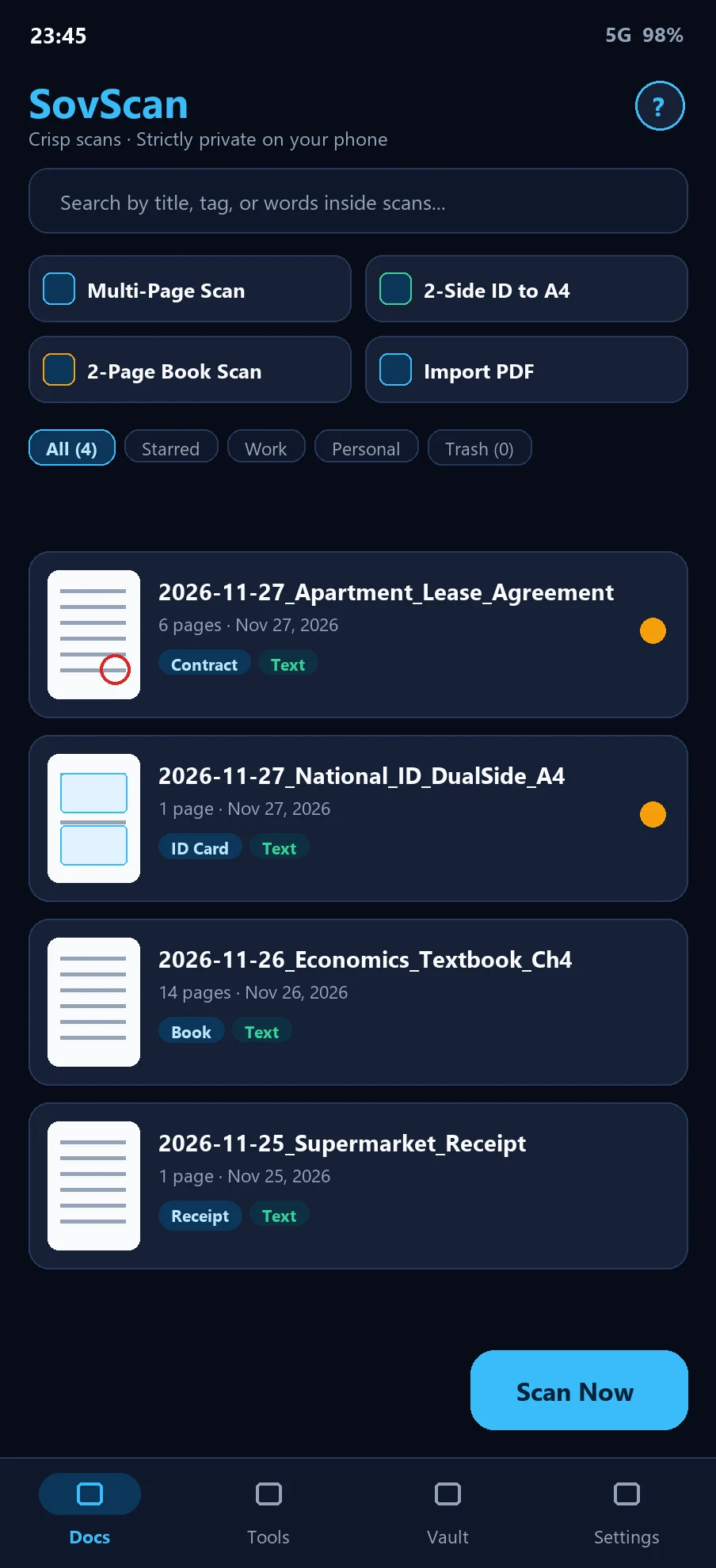
Scan up to 50 pages & find any paper in 1 second
Every control is neatly organized within thumb reach. Search not just by file name, but by any word printed inside your scanned documents.
- Continuous Scan up to 50 pages with auto edge detection
- Organize into clean folders (Work, Study, Tax, Personal)
- Instant full-text search across every page you have scanned
- Smart auto-naming from the document title & scan date
- Private Vault with fingerprint lock & screenshot blockingPRO
REAL-WORLD USE CASES
Built for the paperwork you actually deal with every week
From sending an ID card safely to digitizing a thick textbook or submitting an online application.
Sending your ID card safely
Scan both sides onto one neat A4 page and stamp a diagonal note like 'Only for bank account setup' so it cannot be misused.
Digitizing thick textbooks & notes
Use 2-Page Book mode to capture 2 facing pages per shot — auto-split, flattened, and searchable by keyword later.
Signing an urgent contract on the go
Import the PDF from chat, place your clean handwritten signature, and send the signed PDF back without needing a printer.
Submitting forms with strict 1MB / 2MB limits
Pick Under 1MB or Under 2MB compression so your multi-page application uploads smoothly while keeping every line readable.
Sharing long 30–50 page files cleanly
Upload the PDF straight to your own Google Drive inside SovScan and copy a neat share link for Zalo, Messenger, or Email.
Keeping passports & property deeds private
Store sensitive scans inside the Private Vault — protected by fingerprint/face unlock and blocked from accidental screenshots.
HOW-TO GUIDES
Everyday step-by-step guides for SovScan
How to scan a 2-page open book
- Open SovScan and tap '2-Page Book' right on the Home screen.
- Open your book flat, align the center spine with the guide line, and take 1 photo.
- SovScan automatically splits Left & Right pages, flattens the curve, and clears thumbs.
Combine 2-side ID card on A4 & add safety stamp
- Tap 'ID Card 2-Side', scan the front side, then scan the back side.
- SovScan arranges both sides cleanly at real card proportions on one A4 page.
- Tap 'Watermark' to add a light diagonal note (e.g. 'For Rent Contract') before exporting PDF.
Send a large document via Google Drive link
- Open your scanned document and tap 'Export / Share', then choose 'Upload to Google Drive'.
- Sign in with your Google account once — SovScan only accesses files it creates itself.
- Choose 'Copy Share Link' to send a lightweight link via Zalo, Email, or chat.
PLANS & LICENSING
Scan clean PDFs free forever — or unlock SovScan Pro
Core scanning, 2-side ID cards, offline text reading, and zero-watermark PDFs are free forever. Try Pro free for 7 days ($4.99/yr) or unlock Lifetime once ($14.99).
Free
Everything you need for everyday documents, ID cards, signatures, and clean PDF sharing without watermarks.
- Unlimited document scanning (up to 50 pages per batch)
- 100% watermark-free PDF & image exports
- 2-Side ID Card on A4, 7 color filters & handwritten signature
- Offline text extraction, blackout tool & safety watermarks
- 1-tap Google Drive upload & share link
- 2-Page Book flatten, Private Vault & PDF password lock
SovScan Pro · Yearly
Unlock every power tool: 2-Page Book mode, Private Vault with biometric lock, target MB compression, receipt spreadsheets, and PDF passwords.
- 7-day free trial — cancel anytime in Google Play
- 2-Page Book auto-split, curve flattening & thumb cleanup
- Private Vault with biometric lock & screenshot blocking
- Target PDF compression (<1MB / <2MB / <5MB) & PDF password
- Receipt spreadsheet export & full ZIP / private backup
- Sync Pro license across up to 5 devices via your account
SovScan Pro · Lifetime
For people who dislike recurring subscriptions. Every current and future Pro scanner & PDF tool unlocked permanently.
- Every SovScan Pro feature unlocked permanently
- Zero subscriptions — never billed again
- 2-Page Book, Private Vault, PDF compression & receipt export
- Cross-device Pro sync for up to 5 personal devices
- All future updates & priority email support included
| Criteria | Free ($0) | Pro · Yearly ($4.99/yr) | Pro · Lifetime ($14.99) |
|---|---|---|---|
| Continuous Scan (50 pages), 2-Side ID Card & Clean PDF | Unlimited · Zero Watermark | Unlimited · Zero Watermark | Unlimited · Zero Watermark |
| Offline Text Extraction, Sign, Blackout & Google Drive Link | Included | Included | Included Forever |
| 2-Page Book Auto-Split, Curve Flatten & Thumb Cleanup | Preview mode | Unlimited | Unlimited Forever |
| Private Vault (Biometric Lock), PDF Password & <1MB/2MB Compress | Not included | Included | Included Forever |
| Cross-Device License Sync & Pricing | Free forever | $4.99 / yr · 7-day trial · 5 devices | $14.99 one-time · 5 devices |
REQUIREMENTS & COMPATIBILITY
SovScan Specifications
Built for everyday people, students, and office work — clean PDFs without forced accounts, watermarks, or hidden cloud uploads.
- Platform
- Android 8.0 and above (Optimized for standard & foldable screens)
- Languages
- English & Vietnamese
- Offline Capability
- 100% offline scanning, text extraction, signing & Private Vault
- Cloud Sharing
- Optional Google Drive link upload (your own Drive only)
- PDF Output
- Searchable PDF, Long Image, Spreadsheet (Receipts) — Zero watermark
- Publisher
- HORIZON GIFT LLC (Wyoming, USA)
FAQ
Common Questions
SovScan · v1.0.0Turn paper clutter into clean, private PDFs in seconds
Have questions about SovScan, Google Drive link sharing, or syncing your SovScan Pro plan across devices? Contact our team anytime.