All GuidesSovClone Page
Step-by-Step GuideSovClone4 min read2026-11-28

How to Hide & Lock Private Cloned Apps with PIN & Fingerprint on Android

Keep sensitive accounts completely out of sight when friends or family borrow your phone — protected by Private Space PIN, Fingerprint unlock, and safe passcode recovery.

SovClone icon
100% ON-DEVICE · NO SIGN-IN REQUIRED
SovClone — Separate Copies for Work, Sales & Personal · Smart Auto-Sleep · Private Lock
Explore SovClone

Quick Steps

  1. Tap the 3-dot icon on the copy you want to hide and move it to the Private folder.
  2. Tap the locked Private pill on SovClone's home screen and create a 4–6 digit PIN.
  3. Turn on Fingerprint / Face unlock for instant 1-second access.
  4. Avoid pinning hidden copies to your Home Screen so their icons stay completely out of view.

1. Full-screen Private Space Lock with Fingerprint & Face unlock

When you move any copy into SovClone's Private folder, it vanishes from the All / Work / Personal / Sales views. Tapping the Private folder brings up a clean full-screen PIN keypad with Fingerprint and Face unlock support — and automatically locks again the moment you leave.
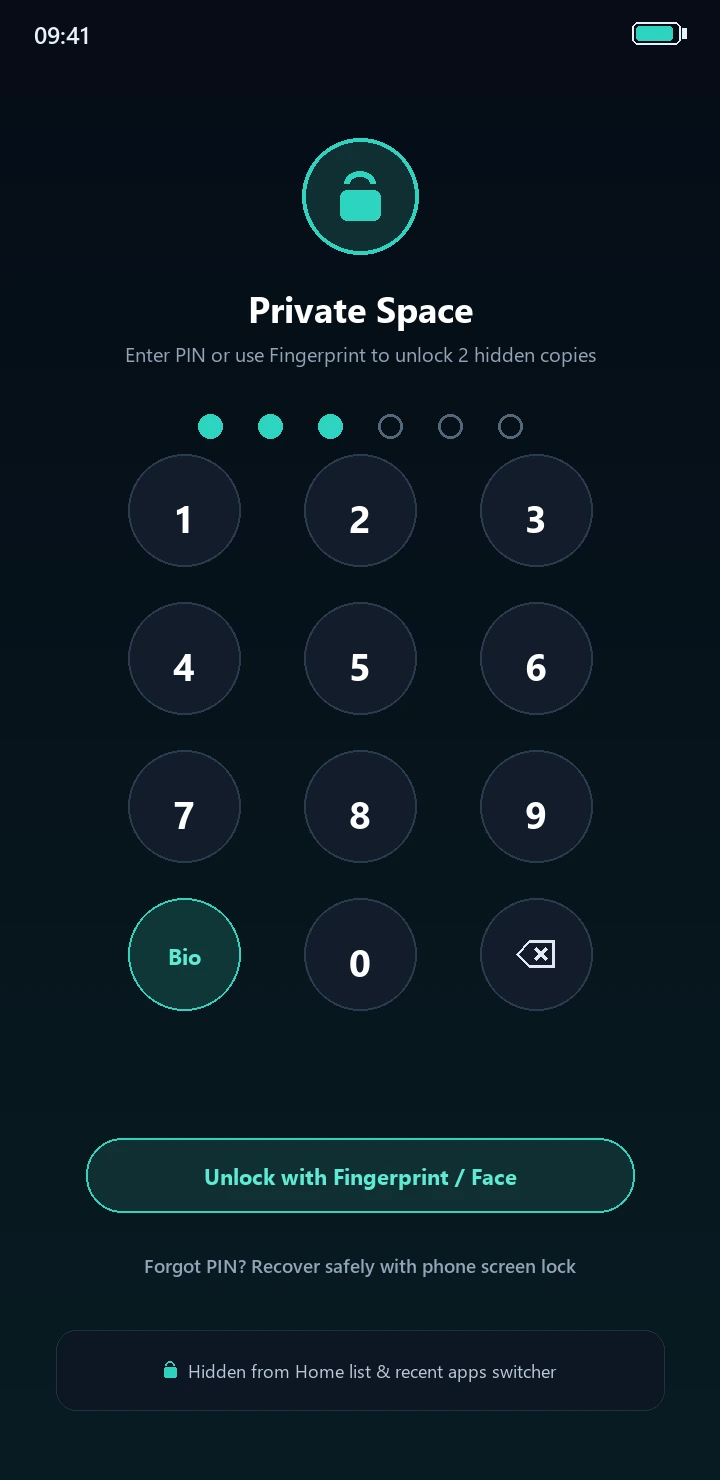
SovClone's Private Space lock screen features a large comfortable PIN keypad, instant Fingerprint/Face unlock, and safe recovery.

2. What if you forget your Private Space PIN?

With many vault apps, forgetting a PIN means wiping all your data. SovClone solves this thoughtfully: tap 'Forgot PIN?' right beneath the biometric button, confirm your identity using your phone's own screen lock (fingerprint, face, or device passcode), and set a brand-new PIN without losing a single cloned app or chat.

  • Never pin Private Space copies to your phone's Home Screen if you want them invisible.
  • You can change your PIN or toggle Fingerprint unlock anytime in SovClone Settings.

Frequently Asked Questions

Does SovClone store my PIN on any online server?

Never. Your PIN is protected strictly inside your own phone's secure storage and never leaves your device.

Separate every account. Keep your battery cool.

Start immediately with up to 5 free copies, batch clone 1–5 copies at once, 6 color-coded icon frames, 1-tap Home Screen shortcuts, and automatic battery sleep.

Explore SovClone